
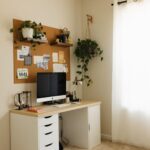






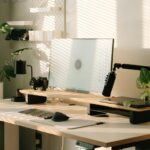

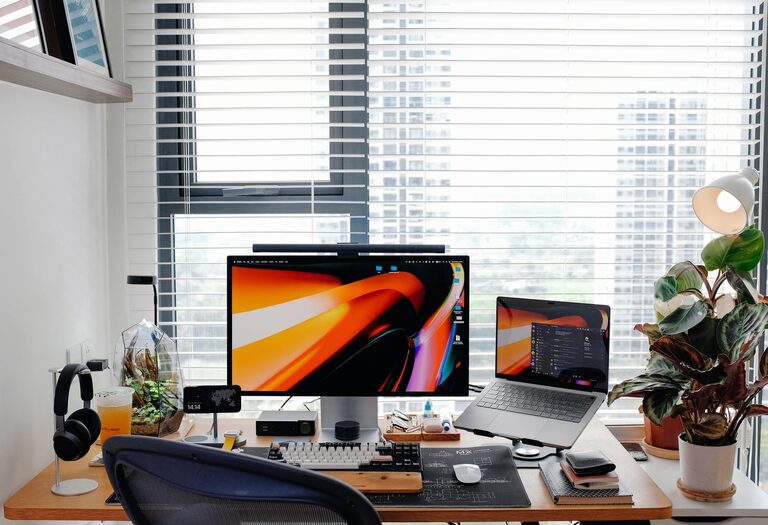
Creating a comfortable and productive home workspace is essential for anyone working remotely or spending significant time on tasks at home. A well-thought-out workspace helps improve focus, reduce stress, and increase efficiency. Whether you have a dedicated room or just a small corner, you can design a space that works best for you. Here are some valuable tips to help you create a home workspace that supports both comfort and productivity.
Choose the Right Location
Finding the ideal spot in your home to set up your workspace is the first step. Consider the following:
– Natural light: Select a place near a window if possible. Natural light enhances mood and energy levels.
– Quiet environment: Choose a space away from noisy areas like the kitchen or living room to reduce distractions.
– Space availability: Even a small desk in a corner can work if organized well.
Invest in an Ergonomic Chair and Desk
Comfort is key to maintaining productivity. Sitting for long hours can cause discomfort and health issues if your furniture is not supportive.
– Chair: Look for an adjustable chair with lumbar support, comfortable cushioning, and the ability to adjust height.
– Desk: Your desk should be at a height where your forearms rest comfortably parallel to the floor when typing.
Ergonomic furniture helps prevent strain and promotes better posture, allowing you to work longer without discomfort.
Organize and Declutter Your Workspace
A cluttered workspace can hamper your ability to concentrate. Keep your area tidy with these tips:
– Storage solutions: Use shelves, drawers, or bins to store supplies you don’t use daily.
– Minimal essentials: Keep only what you need on your desk, such as your computer, notebook, and a pen holder.
– Cable management: Use clips or ties to keep cords and cables organized and out of sight.
An organized space helps you stay focused and makes it easier to find what you need.
Optimize Lighting
Besides natural light, consider your artificial lighting options:
– Task lighting: A good desk lamp with adjustable brightness and direction reduces eye strain.
– Ambient lighting: Avoid harsh overhead lights; softer lighting can create a cozy, inviting atmosphere.
– Screen position: Adjust your computer screen to minimize glare from windows and lights.
Proper lighting keeps your eyes comfortable and improves concentration.
Personalize Your Space
Adding personal touches can make your workspace more inviting:
– Plants: Small indoor plants improve air quality and add a splash of color.
– Artwork: Hang artwork or photos that inspire you without being distracting.
– Comfort items: Use a cushion, blanket, or a stress ball to keep you comfortable and relaxed.
Personalization makes the workspace pleasant and motivates you to spend time there.
Set Boundaries and Routines
To maintain productivity, especially if you live with family or roommates, set clear boundaries:
– Dedicated work hours: Define when you start and end your work to create structure.
– Communicate: Inform those around you of your work schedule and the importance of minimizing interruptions.
– Breaks: Schedule regular short breaks to stretch or step away from your desk.
Boundaries help you separate work life from home life, reducing stress and improving focus.
Use Technology Wisely
Leverage technology to enhance your workspace:
– Reliable internet: Ensure your internet connection is stable for uninterrupted work.
– Noise-cancelling headphones: Block out background sounds to maintain concentration.
– Productivity apps: Use timers, to-do lists, or calendar apps to organize tasks and deadlines.
Technology can streamline your workflow and reduce distractions.
Keep Healthy Habits in Mind
Your home workspace should encourage healthy habits:
– Stay hydrated: Keep a water bottle on hand to remind you to drink regularly.
– Posture breaks: Stand up, stretch, or walk around every hour to avoid stiffness.
– Healthy snacks: Choose nutritious snacks to maintain energy without crashes.
Good habits support your well-being and long-term productivity.
Regularly Assess and Improve Your Workspace
Lastly, revisit your workspace setup periodically:
– Evaluate comfort and efficiency: Notice any discomfort or workflow interruptions.
– Make adjustments: Rearrange furniture, add new tools, or declutter as needed.
– Stay flexible: Your needs may change, so adapt your workspace accordingly.
Ongoing improvements ensure your workspace continues to meet your needs.
—
Creating a home workspace that is both comfortable and productive doesn’t have to be complicated or expensive. By focusing on location, ergonomics, organization, lighting, personalization, boundaries, technology, and health, you can craft an environment that supports your best work. Start with small changes and tailor your space to fit your preferences and routine. With the right setup, your home workspace can become a place you enjoy and where you thrive professionally.