
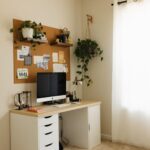








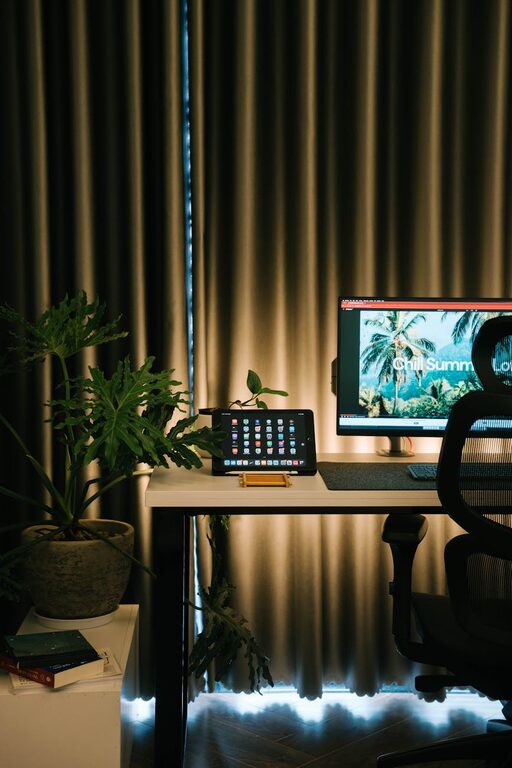
Creating a cozy and productive home office space is essential for anyone working remotely or managing tasks from home. A well-designed workspace can improve focus, reduce stress, and make work more enjoyable. Whether you have a dedicated room or just a corner of your living space, these practical tips can help you create an environment that supports both comfort and efficiency.
Choose the Right Location
Natural Light is Key
Pick a spot with access to natural light whenever possible. Natural sunlight helps reduce eye strain and can boost your mood throughout the day. Try to position your desk near a window, but avoid glare on your computer screen by using blinds or curtains if needed.
Consider Noise Levels
Select a quiet area where distractions like household noise or street sounds are minimal. If silence isn’t an option, noise-canceling headphones or soft background music can help you maintain concentration.
Invest in Comfortable and Functional Furniture
Ergonomic Chair and Desk
Your chair and desk form the foundation of a productive workspace. Choose an ergonomic chair that supports your posture and is adjustable to your height. A desk at the right height will prevent neck and back pain, making long hours more comfortable.
Desk Setup
Keep your desk clear and organized with only essential items. Monitor stands or laptop risers can help position your screen at eye level, reducing neck strain.
Use Thoughtful Lighting
Combine Ambient and Task Lighting
Good lighting means less eye fatigue and a more inviting atmosphere. Use a mix of ambient light for the whole room and task lighting, like a desk lamp, to focus on work areas during darker hours.
Warm Light for Comfort
Choose warm or neutral white bulbs to create a calming environment. Harsh, cold light can feel sterile and make it harder to relax while working.
Organize Your Space
Declutter Regularly
Keep your workspace tidy by regularly removing unnecessary items. A clutter-free desk helps clear your mind and keeps you focused.
Storage Solutions
Use shelves, drawers, or organizers to store supplies and documents neatly. Label boxes or files for easy access and to avoid wasting time searching for important materials.
Add Personal and Cozy Touches
Incorporate Plants
Adding greenery can brighten the room, improve air quality, and reduce stress. Choose low-maintenance plants like succulents, spider plants, or pothos for easy care.
Comfort Items
Include a soft rug, cozy throw blanket, or cushions for added warmth and texture. These small touches make the space inviting and encourage you to spend time there.
Favorite Decorations
Display personal items such as photos, artwork, or inspirational quotes to make the space feel truly your own. These elements can also motivate and uplift you during work hours.
Manage Technology Efficiently
Cable Management
Tidy up your cables using clips, sleeves, or cable boxes. A clean and well-organized desk reduces distractions and potential hazards.
Reliable Equipment
Invest in good quality technology like a fast internet connection, a headset, and any accessories that improve your workflow. This minimizes frustration and helps maintain productivity.
Set Boundaries and Ergonomics
Defined Workspace
If possible, create a dedicated office space separate from your living areas. This helps your brain associate the area with work, improving focus.
Take Breaks
Remember to stand, stretch, and move regularly to avoid fatigue. Setting a timer for reminders can help you maintain a healthy rhythm throughout your day.
Final Thoughts
Creating a cozy and productive home office is about balancing comfort with efficiency. By choosing the right location, furniture, lighting, and organization methods, you can design a space that supports your work habits and wellbeing. Personal touches will make it a pleasant place to spend your time and help you stay motivated. Whether you’re new to working from home or looking to improve your current setup, these tips can guide you toward a workspace that feels just right.