
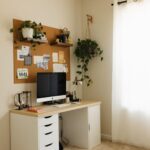








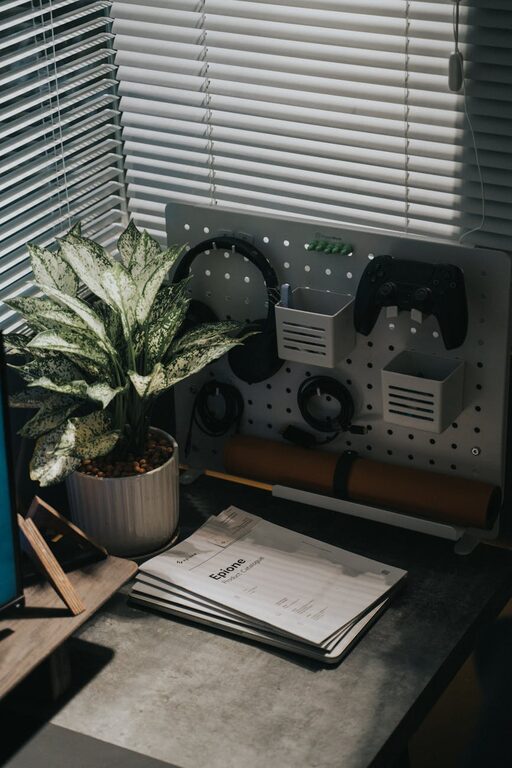
Creating a cozy and productive home office space is essential for anyone working from home or spending significant time on personal projects. A well-designed workspace can boost your focus, creativity, and overall well-being. Whether you have a dedicated room or just a small nook, you can transform it into a place that feels inviting and helps you get things done. Here are some practical tips to guide you in setting up your ideal home office.
Choose the Right Location
Find Natural Light
Whenever possible, pick a spot with plenty of natural light. Exposure to daylight helps reduce eye strain and improves mood. Position your desk near a window, but avoid direct glare on your computer screen. If natural light is limited, invest in good quality lighting that mimics daylight to keep your space bright and welcoming.
Minimize Distractions
Select a quiet area of your home where interruptions are minimal. If you live with others, consider communicating your work hours to reduce distractions. Using noise-canceling headphones or a white noise machine can also help maintain focus during busy times.
Invest in Comfortable and Functional Furniture
Ergonomic Chair and Desk
Comfort is key for long hours at your desk. Choose an ergonomic chair that supports good posture and keeps you comfortable. A desk at the right height will prevent strain on your wrists and shoulders. Adjustable chairs and desks are a great option to tailor your setup to your needs.
Adequate Workspace
Make sure your desk is large enough for your computer, documents, and any tools you use regularly. Cluttered surfaces can hinder productivity and create stress, so having enough room to organize materials is important.
Organize Your Space for Efficiency
Storage Solutions
Use shelves, drawers, or filing cabinets to store items you don’t need all the time. Keeping your desk clear of unnecessary items creates a tidier environment, which helps you focus better.
Cable Management
Tidy up cables with clips or cable boxes to prevent tangles and maintain a neat appearance. This small detail can make your space more pleasant and safe.
Personalize Your Workspace
Add Comfort and Style
Incorporate elements that make your office feel cozy and inviting. Soft cushions, a small rug, or stylish curtains can add warmth without overcrowding the space.
Bring in Nature
Plants are a simple way to improve air quality and brighten your office. Choose low-maintenance varieties like succulents or snake plants for an easy care routine.
Create a Routine-Friendly Setup
Plan Your Workflow Area
Arrange items based on how often you use them. Keep frequently needed tools within easy reach and create zones for different tasks, such as computer work, writing, and storage.
Use a Whiteboard or Planner
A whiteboard or wall planner can help you visualize tasks and deadlines. Keeping track of your schedule in sight supports time management and reduces mental clutter.
Maintain a Healthy Work Environment
Take Regular Breaks
Set a timer to remind yourself to stretch or take brief walks. Getting up every hour can relieve physical tension and refresh your mind.
Air Quality and Temperature
Make sure your office space is well-ventilated and has a comfortable temperature. A small fan, heater, or air purifier might improve air circulation and comfort depending on your climate.
Utilize Technology to Enhance Productivity
Efficient Tools and Apps
Choose software and apps that help with focus and organization, such as task managers, calendar apps, or distraction blockers.
Keep Your Tech Up to Date
Ensure your computer and peripherals are in good condition to prevent technical issues that can slow you down.
—
Creating a home office that is both cozy and productive takes some planning and effort but will pay off with improved comfort and efficiency. By focusing on comfort, organization, and personalization, you can build a workspace that makes working from home enjoyable and effective. Remember that your workspace should evolve with your needs, so don’t hesitate to make adjustments as you go. Happy working!